

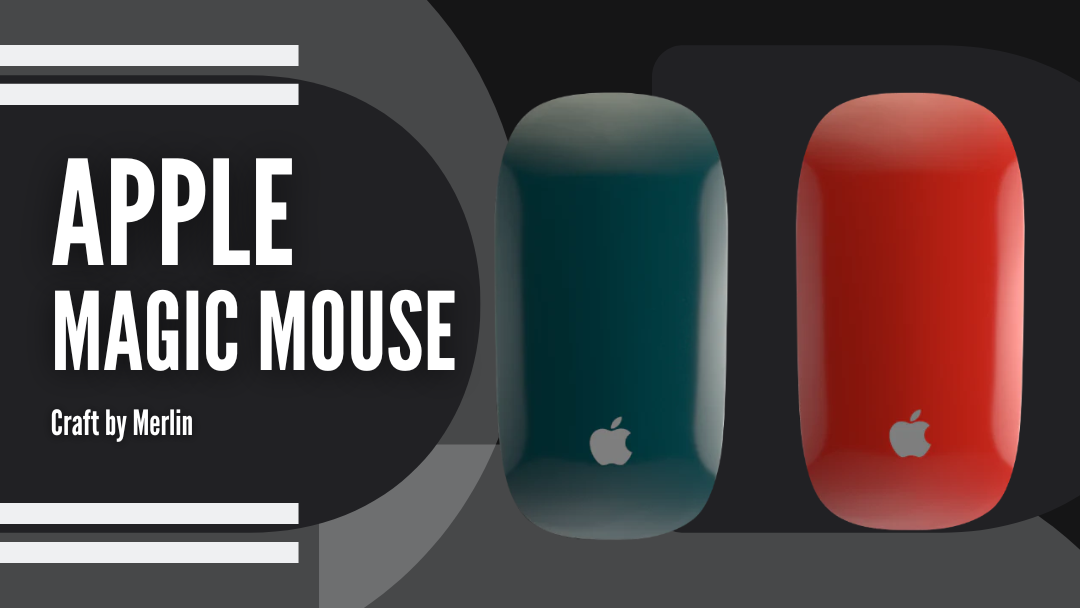
Minimal workspaces are setting the standard for how we work in 2026. Clean desks, considered layouts, and fewer visual distractions create an environment that feels calm, focused, and intentional. Rather than filling desks with accessories, many professionals now invest in a single premium piece that elevates the entire setup. Often, that piece is the mouse used every day.
The Apple Magic Mouse USB-C fits effortlessly into modern desks with its seamless silhouette and intuitive touch surface. When finished in a custom color, it becomes more than a functional tool—it becomes a refined design element. A Custom Magic Mouse by Craft by Merlin allows personal expression while preserving the restraint of a minimalist workspace.
From soft neutrals to carefully chosen accent shades, the right color and finish can quietly define a desk’s character. This guide explores how custom finishes enhance minimal setups—and how one thoughtfully chosen detail can transform the way a workspace looks and feels.
Why Minimal Work Setups Are Winning in 2026
Minimal work setups continue to gain momentum in 2026 because they directly support focus and efficiency. Studies in workplace psychology consistently show that reduced visual clutter lowers cognitive load, helping users concentrate for longer periods without fatigue. Fewer objects on the desk mean fewer distractions competing for attention.
Modern work also demands flexibility. A clean, simplified desk transitions easily between focused work, virtual meetings, and creative tasks without constant rearrangement. As a result, professionals are prioritizing quality over quantity, choosing fewer tools that deliver both performance and visual balance.
This shift has popularized the “one premium piece” approach—where a single, well-designed accessory anchors the entire setup. Instead of multiple decorative items, one refined element adds character while preserving clarity. In minimal environments, details matter more, making carefully chosen accessories—such as a thoughtfully finished mouse—central to the workspace’s overall design and usability.
Why the Apple Magic Mouse USB-C Is Perfect for a Minimal Desk
The Apple Magic Mouse USB-C is naturally suited to minimal workspaces because its design removes visual complexity without compromising function. Its low-profile silhouette, seamless surface, and button-free form integrate effortlessly into clean desk environments, supporting a calm and intentional aesthetic.
Beyond design, the Magic Mouse delivers reliable everyday performance. Multi-touch gestures and smooth Bluetooth connectivity enable fluid navigation without extra accessories, while the built-in rechargeable battery reduces cable clutter and supports extended work sessions. Lightweight and ergonomically balanced, it offers precise, comfortable control for prolonged use. Combined, these qualities make the Magic Mouse USB-C a practical and visually consistent choice for professionals who value clarity, efficiency, and restraint in their workspace.
How to Choose the Right Custom Color (Simple 3-Step Method)
Choosing the right color for a custom Magic Mouse works best when approached systematically. Instead of starting with the color itself, begin by understanding your desk environment, then refine the choice through finish and styling intent.
Step 1 — Pick Your Desk “Base”
Your desk’s dominant tone sets the foundation for every accessory.
-
All white/light desk: Light desks benefit from contrast. Dark neutrals or muted tones prevent visual flatness while preserving balance and maintaining a clean, minimal appearance.
-
All black/dark desk: Dark desks pair best with monochrome shades or subtle metallics, reinforcing focus, visual clarity, and a structured, professional workspace aesthetic.
-
Wood tones (walnut/oak): Wood desks introduce warmth and texture. Earthy neutrals and warm metallic finishes complement natural grain without overpowering the surrounding workspace.
-
Concrete/grey industrial: Industrial desks suit cooler palettes. Greys, steel tones, and muted metallics enhance architectural character while maintaining visual restraint.
Step 2 — Decide the Finish (Matte vs Glossy)
Understanding the difference between matte vs glossy Magic Mouse finishes helps define how prominent the mouse feels within your setup.
-
Matte finish: Matte surfaces reduce glare and visual noise, creating a softer, understated presence that supports focused work and long, distraction-free sessions.
-
Glossy finish: Glossy finishes reflect light and add controlled presence, making the mouse more visible while still maintaining a refined, minimal look.
Step 3 — Choose Your Style Approach
Finally, define how much personality you want the mouse to express.
-
Tone-on-tone: Keeping elements within the same color family creates cohesion, visual harmony, and a timeless appearance suitable for modern workspaces.
-
Muted accent: Muted accents introduce subtle personality while staying restrained, adding interest without disrupting the minimalist workspace aesthetic.
-
One pop color: A single bold color turns the mouse into a focal point while all surrounding elements remain neutral and balanced.
The Best Custom Colors for Minimal Work Setups (From Our Collection)
Choosing the right color isn't just about picking a favorite—it’s about choosing a finish that helps you stay in the zone. These curated categories are designed to fit seamlessly into a clean workspace while giving your setup a point of view.
1. Monochrome Minimal (Always Looks Premium)
Best for: Professionals and creators who want a clean, high-authority look.
-
Apple Magic Mouse USB-C – Black Matte:

The Apple Magic Mouse USB-C Black Matte features a soft, non-reflective finish designed to disappear into your setup. It’s the ultimate choice for a distraction-free environment where you want the focus on your screen, not your tools.
-
Apple Magic Mouse USB-C – Black Glossy:

The Apple Magic Mouse USB-C Black Glossy delivers a deep, mirror-like black that adds a sharp, high-contrast edge. It provides a polished look that feels premium to the touch while keeping your desk aesthetic simple and timeless.
Pairing tip: Match a black mouse with a white keyboard for a "tuxedo" look that never goes out of style.
2. Metallic Minimal (Luxury Without Loud Color)
Best for: Modern executive offices and grey-scale industrial setups.
-
Apple Magic Mouse USB-C – Gunmetal Matte:

The Apple Magic Mouse USB-C Gunmetal Matte is a deep, moody metallic that offers a sophisticated alternative to standard black. It has a stealthy, architectural feel that works perfectly with dark felt mats.
-
Apple Magic Mouse USB-C – Steel Glossy:

The Apple Magic Mouse USB-C Steel Glossy provides a cool, liquid-metal look. It catches the light just enough to feel high-end without breaking the neutral palette of a professional workspace.
-
Apple Magic Mouse USB-C – Metallic Silver:

The Apple Magic Mouse USB-C Metallic Silver is a clean, bright classic. It’s designed to perfectly complement the native Apple aluminum finish for a consistent, "factory-fresh" minimalist look.
Finish tip: Choose Matte for a "stealth" vibe or Glossy for a sharp, executive shine.
3. Warm Minimal (Perfect With Wood Desks)
Best for: Natural light, walnut or oak desks, and organic interiors.
-
Apple Magic Mouse USB-C – Brown Matte:

Earthy and grounded, the Apple Magic Mouse USB-C Brown Matte is made for the modern "cozy" setup. It pairs beautifully with wood grain, making your tech feel like an organic part of the furniture.
-
Apple Magic Mouse USB-C – Metallic Gold:

The Apple Magic Mouse USB-C Metallic Gold features a soft, champagne-gold tone that adds a layer of warmth. It’s a refined way to introduce a metallic accent that feels expensive rather than flashy.
Pairing tip: Use these with a beige or cork desk mat to create a calm, inviting atmosphere.
4. Muted Color Minimal (Minimal — But Not Boring)
Best for: Designers and creatives who want a soft, personalized touch.
-
Apple Magic Mouse USB-C – Midnight Green Glossy:

The Apple Magic Mouse USB-C Midnight Green Glossy is a forest-inspired green with deep jewel tones. It adds a sophisticated layer of color that only reveals itself under good lighting.
-
Apple Magic Mouse USB-C – Lavender Matte:

The Apple Magic Mouse USB-C Lavender Matte is a soft, airy pastel that brings a sense of calm to a busy workday. It’s an ideal choice for "light mode" setups that prioritize an open aesthetic.
-
Apple Magic Mouse USB-C – Pink Matte:

The Apple Magic Mouse USB-C Pink Matte is a muted, dusty rose that adds subtle warmth. It adds individuality to your desk without feeling out of place in a professional setting.
Rule: Let the mouse be the only "color" on the desk to keep the look intentional.
5. One Pop Accent (Minimal Desk + One Bold Statement)
Best for: Content creators and desks that need a shot of energy.
-
Apple Magic Mouse USB-C – Neon Orange:

The Apple Magic Mouse USB-C Neon Orange acts as a high-vis, high-energy focal point. In an all-grey room, this single pop of neon defines the entire workspace as modern and creative.
-
Apple Magic Mouse USB-C – Red Glossy:

The Apple Magic Mouse USB-C Red Glossy is bold, confident, and classic. The glossy topcoat gives the red a deep, automotive-grade shine that commands attention without needing extra desk decor.
Tip: Pick one matching detail—like your desktop wallpaper—to tie the accent color into the room.
How to Style Your Mouse Like a “Minimal Set”
In the world of minimal aesthetics, visual cohesion is king. A lone custom mouse looks great, but pairing it with a matching Magic Keyboard creates a unified "workstation identity" that feels intentional rather than accidental. To maintain that "Apple-clean" look, keep your desk surface clear of cables and let the color-matched duo be the focal point.
The Power of the Combo
When your input devices share the same hue and finish, such as a Matte Midnight Green mouse sitting alongside a matching keyboard, you eliminate the visual "noise" of competing textures. This "Set Aesthetic" is a favorite among 2026's top interior designers because it makes even a small laptop setup feel like a professional studio.
While a custom mouse is a high-impact start, many designers find that a unified desk yields the most focus. If you're building a new setup, it’s worth exploring why creative professionals prefer a customized keyboard and mouse duo to see how a matching set can truly transform your daily productivity.
Set Inspiration: The “High-Contrast Slate.” Looking for a specific vibe? Try this High-Contrast Slate look—a 2026 favorite that balances dark, moody tones with metallic highlights. This setup uses a black anchor to ground the desk while using the Starlight finish to reflect light and prevent the workspace from feeling too heavy.
Get the Look:
-
The Mouse: Apple Magic Mouse Black Matte (The centerpiece that provides a deep, non-reflective anchor).
-
The Keyboard: Magic Keyboard Starlight Edition (A warm, champagne-silver finish that adds a premium metallic contrast to the black).
-
The Base: A dark charcoal felt desk mat to add texture and pull the "slate" tones together.
Build Your Perfect Pair
Ready to sync your setup? Explore our curated collections to find your perfect match:
-
The Hero Piece: Explore the Apple Mouse USB-C Collection to filter by your favorite matte or glossy finishes.
-
Complete the Look: Browse our Magic Keyboard & Combo Collections to find a color-matched deck for a seamless, high-end finish.
Care Tips (Keep the Finish Looking New)
Our hand-painted Magic Mouse editions are built to last, but premium finishes deserve premium care. With a few simple habits, you can maintain the mouse’s refined appearance and surface quality over time.
-
Daily care: Gently wipe the mouse with a soft microfiber cloth to remove fingerprints, dust, and surface oils. This prevents buildup and maintains a consistent finish.
-
Storage and travel: When carrying the mouse in a bag, avoid contact with hard or sharp objects such as keys or coins. Using a soft pouch helps protect the surface from unnecessary wear.
-
Finish maintenance: Glossy finishes are generally easier to wipe clean and maintain, while matte finishes benefit from regular, gentle cleaning to preserve their soft, uniform appearance.
Worldwide Shipping, Warranty, and Authenticity
At Craft by Merlin, we offer worldwide shipping supported by a 1-Year Global Warranty, ensuring a confident purchase no matter where you’re located. Every mouse is a genuine Apple Magic Mouse USB-C, professionally disassembled and hand-painted by skilled specialists to deliver a finish that is both visually refined and built to last.
-
Processing
Orders are carefully prepared and dispatched within 1–2 business days. Each mouse undergoes quality checks after customization to ensure finish consistency and original functionality.
-
Delivery
Global delivery typically takes 3–7 business days, depending on destination and local courier networks. Tracking details are provided once the order ships.
-
Returns
A 30-day return or exchange window is available, allowing you to shop with peace of mind if the product doesn’t meet expectations.
Conclusion
By 2026, we’ve learned that a cluttered desk usually leads to a cluttered mind. Building a minimal setup is really about removing the "noise" so you can focus on the work that actually matters. A custom-colored Magic Mouse isn't just a luxury; it’s a way to make your most-used tool fit the aesthetic you’ve worked hard to build. It’s the final piece of the puzzle that makes your workspace feel complete, professional, and uniquely yours.
Elevate Your Setup. Your desk is your creative hub. Why settle for the same white plastic everyone else has? Choose your palette, select your finish, and let one refined detail define your entire experience.


