

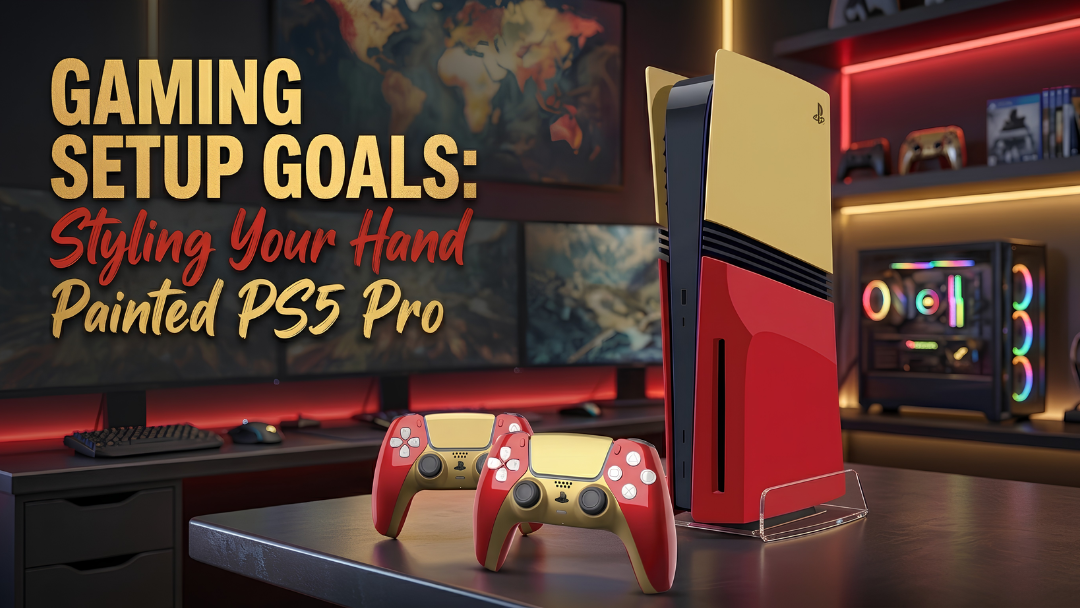
A hand-painted PS5 Pro is not the kind of console you hide behind the TV. If the design has a bold colour palette, striking artwork or metallic detailing, it deserves a setup that lets it stand out.
The goal is not to make every part of your gaming room match. Instead, pick out a few colours and details from the console and carry them through your desk, lighting and accessories. This creates a setup that feels considered without looking overdone.
Here’s how to build the rest of your gaming space around your PS5 Pro and make the console the natural centrepiece.

Start With the PS5 Pro’s Colour Palette
Let the design of your PS5 Pro set the direction for the rest of the room. Rather than matching every element exactly, pick two or three colours from the console and repeat them through your desk, lighting and accessories.
A bold red and gold design, for example, can work against a black desk with warm lighting and a few gold details. A blue and yellow theme can be balanced with neutral furniture and small touches of colour through lighting or wall décor. If the console has a more intricate, multi-colour design, keep the larger surfaces simple and let the artwork do most of the visual work.
The same principle applies to the background. A neutral wall, clean desk or darker shelving gives a detailed design more room to stand out. Keep the surrounding elements restrained so the console's artwork has room to stand out.
Choose Lighting That Works With the Finish
Your lighting should bring out the colours and artwork of your PS5 Pro without competing with them. Instead of cycling through every RGB colour, choose one or two shades that complement the console's design.
For warmer designs, consider:
- Warm white
- Amber
- Red
- Soft gold
For cooler designs, try:
- Blue
- Purple
- Cyan
- Cool white
If your console features several colours, neutral white or a subtle RGB gradient can keep the setup balanced while allowing the artwork to remain the focus.

Glossy vs Matte: Think About Reflections
The console's finish also affects how your lighting looks. A glossy surface can catch reflections from RGB strips, monitors and nearby lights, creating a more dramatic effect but making glare more noticeable. A matte finish generally gives the artwork a softer, more understated appearance.
If your PS5 Pro has a glossy finish, place lighting behind the desk, beneath shelves or behind the monitor rather than pointing it directly at the console. This creates a softer glow that brings out the design without creating distracting reflections.
Build the Accessories Around the Console
Once your colours and lighting are in place, choose a few accessories that carry the same visual cues through the rest of the setup. You do not need to replace everything. A handful of well-matched pieces can be enough to pull the look together.
Match the Controller
A matching or complementary DualSense is one of the simplest ways to extend the console's design across the setup. Explore the custom PS5 DualSense controllers for designs that can complement your console.
If your PS5 Pro has a detailed finish, choose a controller that picks up one of its secondary colours rather than trying to replicate the entire design. This creates a connection between the two without making the setup feel too coordinated.
Choose a Desk Mat That Supports the Palette
A desk mat covers a large part of your gaming surface, so it can help anchor the colour scheme. Dark designs with subtle accents work well with bold consoles, while black, grey or off-white can give brighter artwork more breathing room.
The aim is to support the console rather than compete with it.
Add a Headset Stand
A headset stand keeps your desk organised while adding another opportunity to carry the setup's visual theme.
A simple black stand works with almost any console design, while metallic details can complement finishes that feature gold, silver or chrome-style accents. Choose a simple shape and finish that works with the console without adding another competing visual element.

Use the Wall to Extend the Theme
Once the desk is styled, use the space above and around it to add character without filling the gaming surface with more accessories.
Consider adding:
- Minimal gaming artwork
- Framed posters
- Floating shelves
- A few themed collectibles
- Subtle LED lighting
Keep the wall elements visually lighter than the console itself. A single framed piece, shelf or lighting detail can be enough to connect the wall to the rest of the setup without making it feel crowded.
For a bold PS5 Pro design, a darker or neutral wall can provide contrast. If the console has a more understated finish, artwork or lighting in one of its accent colours can add more visual interest.
The aim is to extend the atmosphere of the setup vertically while keeping the console easy to notice.
Decide: Display Piece or Everyday Gaming Station?
How you arrange your PS5 Pro depends on whether you want it to be a focal point for display, part of an active gaming station or a combination of both.
The Display Setup
For a collector-style setup, give the console enough space to stand out. A floating shelf, open media unit or dedicated display area can create a cleaner presentation without surrounding the artwork with too many distractions.
You can complement it with:
- A small selection of games
- Subtle LED backlighting
- A few carefully chosen collectibles
Keep the arrangement intentional and leave enough negative space around the console for its design to remain visible.
The Active Gaming Setup
If your PS5 Pro is part of your everyday gaming station, practicality should shape the layout. Position it somewhere with adequate ventilation and keep the ports and cables accessible.
From there, give your frequently used accessories a dedicated place. Keep the controller within reach, store your headset neatly and manage visible cables so they do not distract from the overall setup. Lighting should add atmosphere without creating glare on the screen or reflecting heavily across the console.

Create a Setup That Photographs Well
If you share your gaming setup online, think about how the PS5 Pro will appear from the camera's perspective. Keep the console visible rather than hiding it behind a monitor, speaker or pile of accessories, and leave enough space around it for the artwork to read clearly.
Before taking a photo, clear away anything that does not contribute to the setup. Keep the composition simple, choose an angle that shows the console's design clearly and use the lighting already built into the room rather than adding unnecessary visual distractions.
A few intentional details will usually photograph better than a desk crowded with accessories.
Build the Setup Around What You Love
A hand-painted PS5 Pro gives your gaming space a strong starting point. From the colours on your desk to the lighting, wall details and accessories around it, each choice can build on the design without competing for attention.
You do not need to match every element or fill every surface. A considered palette, thoughtful placement and a few well-chosen details are enough to make the setup feel personal and cohesive.
Explore the Craft by Merlin PlayStation 5 Pro Collection to find a design that gives your gaming space its direction.
If you share your finished setup on social media, tag Craft by Merlin so the brand can see how you've styled your console.


