

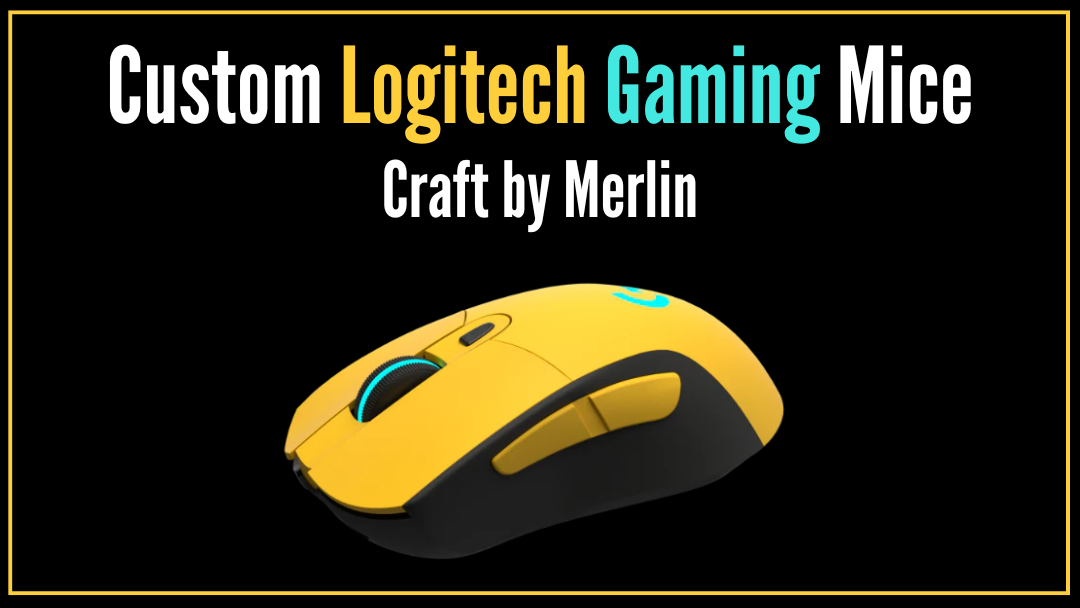
Performance has always mattered—but today, your setup’s aesthetic matters just as much. You’ve likely spent hours cable-managing, refining your lighting, and dialing in every detail of your desk, yet the centerpiece often remains a generic, factory-black plastic peripheral. At Craft by Merlin, we believe your hardware should reflect your personal style, not fade into the background.
In this guide, we explore the Logitech G Series, reimagined—transforming the legendary G703 into a custom Logitech G703 mouse, hand-painted to belong on a thoughtfully curated desk. You’ll discover our library of Logitech G703 custom color finishes—from understated matte tones to bold, high-voltage neons—along with a practical color-matching guide for real-world setups. Most importantly, we show how elite HERO 25K sensor precision and LIGHTSPEED wireless performance remain fully intact. From care tips to choosing the right edition for work or play, this is your complete guide to bespoke gaming hardware.
What the Logitech G Series Means at Craft by Merlin
When you browse our Logitech G Series collection at Craft by Merlin, you’re looking at a fusion of world-class engineering and bespoke artistry. Every custom edition begins with a non-negotiable foundation: a genuine, brand-new Logitech G703 Wireless Gaming Mouse. We chose this base for its legendary ergonomics, competitive-grade responsiveness, and proven reliability—making it the ideal canvas for a complete visual reimagining.
While the internal soul of the mouse—its precision components, weight balance, and wireless performance—remains entirely untouched, the exterior undergoes a meticulous transformation. Each piece is finished by hand using premium, multi-layer surface treatments, ranging from understated matte textures and glass-like glossy coats to high-luxury metallics and vibrant neon finishes.
The result is a serious gaming essential that delivers the performance you trust, now refined to visually match the caliber of a carefully curated workspace.
A Curated Library of Colors & Finishes
Rather than overwhelming you with every available color at once, this library highlights one defining finish from each category. Think of these as reference points—each representing a broader family of tones and textures within the Logitech G Series.
-
Clean + Minimal Finishes (For Modern Desks)
Featured finish: White Matte Logitech G703
White Matte is the foundation of clean desk aesthetics. Its soft, non-reflective surface blends effortlessly into modern workspaces, especially white, neutral, or Apple-inspired setups. It minimizes visual noise, hides fingerprints well, and feels calm and intentional on the desk.

This finish sits within our broader matte range, which includes understated tones like Gunmetal Matte, Steel Matte, Midnight Green Matte, and Lavender Matte—each designed for minimal, distraction-free environments.
-
Glossy Statement Finishes (For Premium, Reflective Setups)
Featured finish: Midnight Green Glossy Logitech G703
Glossy finishes are made to be noticed. Midnight Green Glossy offers depth, richness, and a glass-like sheen that reacts beautifully to ambient and RGB lighting. It adds a sense of luxury without feeling loud, making it ideal for curated gaming or creator setups.

Within our glossy collection, you’ll also find bold and expressive shades like Pink, Blue, Red, Yellow, Brown, Gunmetal, and Steel Glossy editions.
-
Metallic Editions (For Luxury Hardware Vibes)
Featured finish: Metallic Gold Logitech G703
Metallic Gold transforms the mouse into a true desk centerpiece. With a refined reflective tone and solid visual weight, it feels closer to luxury hardware than a standard gaming peripheral. This finish pairs especially well with dark desks, leather accessories, or minimalist luxury setups.

The metallic collection also includes Metallic Silver and Metallic Brass—each offering a different interpretation of premium restraint.
-
Neon Editions (For Bold RGB & Creator Setups)
Featured finish: Neon Sun Logitech G703
Neon Sun is unapologetically expressive. Designed for high-energy desks, RGB lighting, and content-creation spaces, it adds instant personality and contrast. This finish doesn’t blend in—it anchors the setup and becomes part of the visual identity.

This neon lineup also features Neon Orange for those who want a similar visual impact with a warmer, high-saturation tone.
Each finish category is designed around a different kind of desk, lighting, and personality—making the choice less about color, and more about fit.
How to Choose the “Right” Edition (A Quick Decision Guide)
Choosing the right edition isn’t about picking the loudest color—it’s about how your mouse fits into the space you use every day. Desk color, lighting, and your preference for visual contrast all play a role. This guide simplifies the decision, so your mouse feels intentional the moment it lands on your desk.
Matte vs. Glossy: What Looks Better in Real Life?
Matte finishes are subtle and understated. They diffuse light rather than reflect it, which makes them ideal for clean, minimal desks. Matte surfaces also hide fingerprints and smudges well, making them a practical choice for long work sessions and setups where visual calm is the priority.
Glossy finishes are designed to stand out. Their smooth, reflective surface creates a jewel-like effect that reacts beautifully to desk lamps and RGB lighting. If your setup leans toward premium materials or heavy accent lighting, a glossy finish adds a sophisticated presence.
Once you’ve chosen a finish type, color becomes a matter of context.
Color Matching Rules (Simple & Practical)
If you aren’t sure where to start, look at your current workspace and follow these professional styling cues:
The Dark / Moody Setup:
If your desk is all-black or dark wood, deeper tones like Gunmetal, Steel, or Midnight Green blend seamlessly while still adding a sense of depth.
The Minimalist / Apple Setup:
For white desks or studio-style aesthetics, White Matte is the gold standard. Pairing it with a subtle metallic accent keeps the look clean, cohesive, and bright.
The Creator / RGB Setup:
In high-energy streamer setups, bold choices like Neon Sun or Neon Orange act as a visual anchor. Match them with accent keycaps or lighting to tie the entire workspace together.
Serious Performance Beneath the Surface
Customization should never come at the cost of capability—and at Craft by Merlin, it doesn't. Beneath every hand-painted finish, the Logitech G703 remains exactly what it was designed to be: a competitive-grade gaming mouse trusted for speed, precision, and consistency. We treat the internal engineering as non-negotiable; nothing is altered, tuned down, or compromised.
Performance Highlights (Unchanged):
- Advanced HERO 25K Sensor: Pixel-precise tracking up to 25,600 DPI with zero smoothing.
- LIGHTSPEED Wireless: Ultra-low-latency, lag-free performance that rivals wired connections.
- Six Programmable Buttons: Ready for complex gameplay commands or custom macros.
- Ergonomic Design: The iconic, comfort-focused shape is designed for long sessions.
- PowerPlay Compatibility: Supports continuous wireless charging for uninterrupted play.
Beyond the Game: The Productivity Angle
This performance translates seamlessly into professional work. The G703 is a powerhouse for the "9-to-5," where precision and shortcuts save time:
- For Creatives: Map macros for Photoshop brush sizes or timeline scrubbing in Premiere Pro.
- For Professionals: Assign "Mute/Unmute" for Zoom calls or "Paste Values" for Excel to the side buttons.
Whether you are flicking for a headshot or navigating a complex spreadsheet, the performance remains world-class—proving that elite power and personal style can coexist effortlessly.
Hand-Painted Craftsmanship, Built for Everyday Use
At Craft by Merlin, the hand-painted finish is designed for regular, real-world use—not just visual appeal. Each Logitech G703 goes through a three-layer finishing process that balances durability with appearance. The base layer ensures proper adhesion, the color layer delivers even and consistent coverage, and the final protective coat helps resist light scratches, scuffs, and everyday wear.
This approach creates a finish that holds up through long gaming sessions, full workdays, and frequent handling. It is built to withstand natural contact with hands, desk surfaces, and movement without quickly fading or wearing down. Because every mouse is finished by hand in limited quantities, each piece feels intentional rather than mass-produced—durable enough for daily use, yet distinct from standard factory-coated hardware.
This version is excellent. It feels practical, encouraging, and easy to follow without sounding like a lecture. It reinforces the idea that while the mouse is durable, it is also a refined piece of hardware that rewards good care.
Care & Maintenance: Keeping the Finish Looking Its Best
Your custom Logitech G703 is built for everyday use, and a little care goes a long way in maintaining its appearance over time. These simple do’s and don’ts help protect the hand-painted finish while keeping the mouse comfortable and clean.
Do:
- Wipe the surface regularly with a soft microfiber cloth to remove dust and fingerprints.
- Use light pressure when cleaning to avoid unnecessary friction.
- Store and use the mouse on smooth desk surfaces or quality mouse pads.
Don’t:
- Avoid harsh chemical cleaners, disinfectant sprays, or abrasive wipes.
- Keep the mouse away from acetone or alcohol-heavy solutions, especially on glossy finishes.
- Do not place the mouse on rough or textured surfaces that may cause scuffing.
With these simple habits, your mouse will continue to look refined and feel premium—session after session.
Shipping, Returns, and Buying with Confidence
Every Craft by Merlin order is handled with care, transparency, and attention to detail—so you know exactly what to expect from checkout to delivery. Orders are processed within 1–2 business days, followed by 3–7 business days for delivery, depending on your location. Each item is securely packaged to ensure it arrives in the condition it was finished.
If you need to request a return or exchange, you may do so within 30 days of purchase, provided the mouse is in its original condition and accompanied by proof of purchase. In the rare event that your mouse arrives with a manufacturing defect or damage related to production, we’ll arrange a replacement at no additional cost, without unnecessary back-and-forth.
Our goal is simple: make the buying experience as confident and considered as the product itself.


